Mac productivity guide · Updated July 2026
An always-on-top browser for Mac
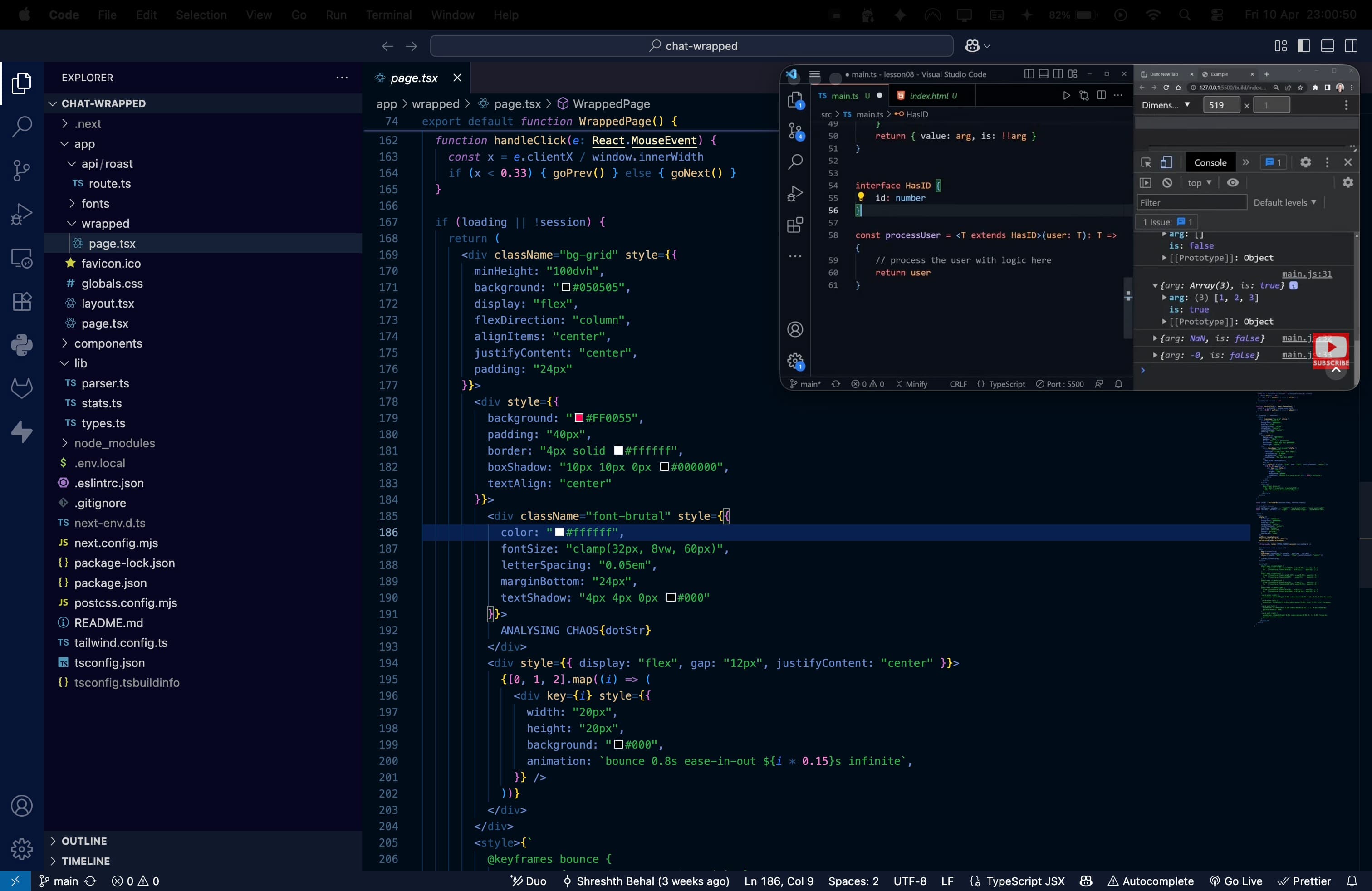
Need a tutorial, stream, document, dashboard, or chat visible while you work? Float opens it in a real browser window that sits above your Mac workspace — including a full-screen editor, presentation, or game.
Choose the right kind of floating window
| Option | What stays visible | Over full-screen | Best for |
|---|---|---|---|
| Browser picture-in-picture | Video only | Usually no | A quick way to detach one video |
| Window-pinning utility | An app window you already opened | Varies by app and macOS setup | Keeping a non-browser app in view |
| Float | A complete browser window or local video | Yes | Video, web pages, docs, dashboards, and streaming while you work |
Why a full browser window matters
A video-only PiP window is useful for one clip, but it leaves behind the controls and context that make a page useful. Float keeps the page itself: subtitles and playback controls, a documentation sidebar, a live chat, a task board, or a reference dashboard. You can resize it, fade it with opacity, and keep it close without giving up your full workspace.
Built for Mac full-screen work
macOS sends a full-screen app into its own Space, which normally hides other windows. Float is a native app designed to keep the floating browser visible above that Space. That makes it especially useful for watching a lesson while coding, checking a checklist during a presentation, or following a stream without adding a second monitor. Learn more about why Mac picture-in-picture disappears over full-screen.
Questions
How do I keep a browser window always on top on Mac?add
Use Float. Open a website in Float and it remains in a small, resizable browser window above your other work. It is designed to stay visible over full-screen apps and across macOS Spaces.
Can Safari or Chrome keep a whole website always on top?add
Their built-in picture-in-picture features usually float only video, not the full page. Float keeps the full website visible, including page controls, chat, documentation, and dashboards.
What can I keep in an always-on-top browser?add
Use it for a tutorial, live stream, meeting notes, documentation, a dashboard, a chat, a score, or a streaming service you already subscribe to. Float also supports local video playback.
Does an always-on-top browser work over full-screen apps on Mac?add
Float is made for that use case. macOS normally hides ordinary windows when another app enters full-screen; Float uses a native window level so the floating browser can remain visible.
Also see: DRM-compatible picture-in-picture for Mac and Float vs Floaty.