Guide
Picture-in-picture for Netflix, Disney+, Prime — and every site
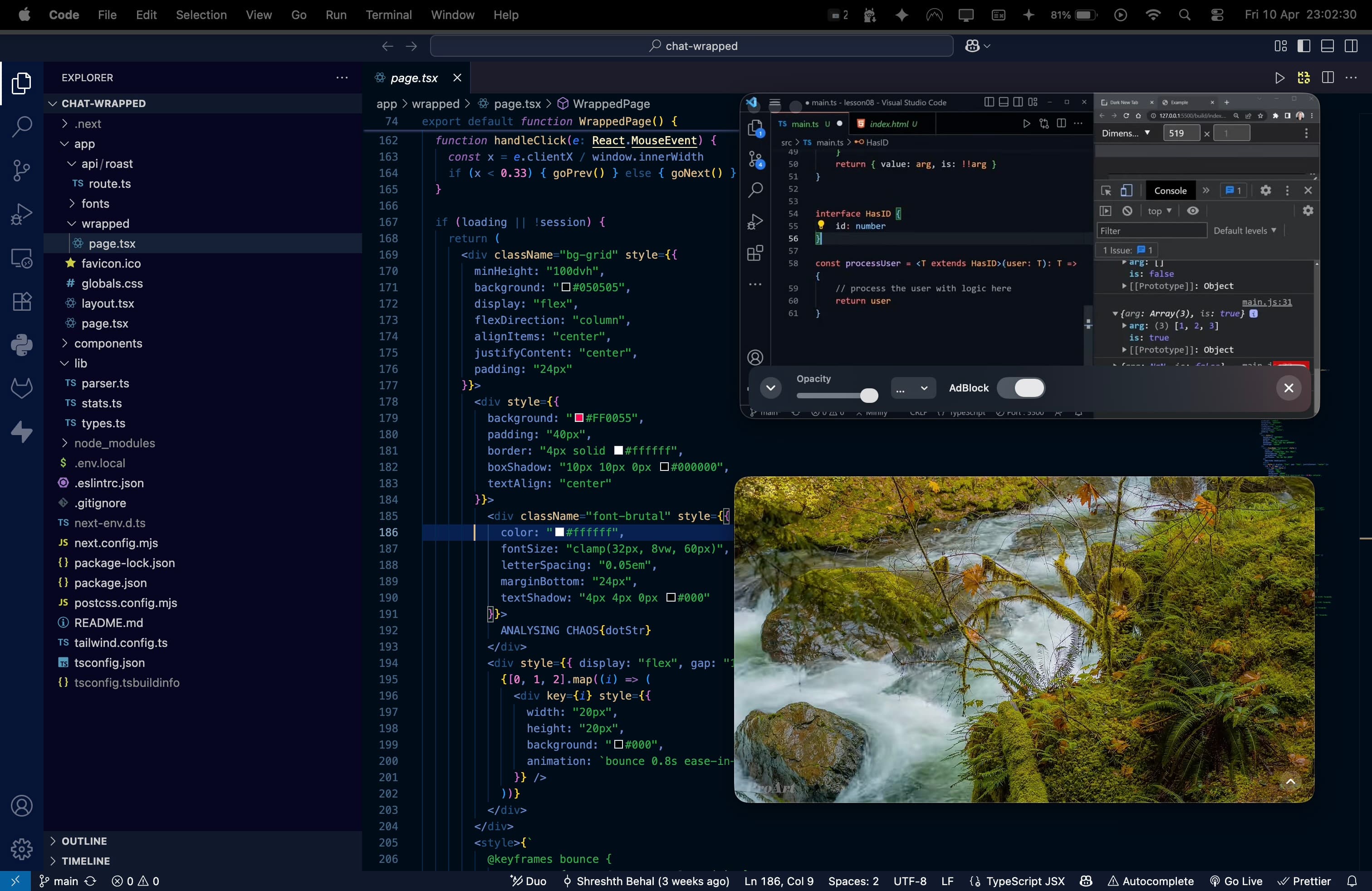
Netflix and YouTube have their own tiny picture-in-picture buttons, but they only float the video, drop the controls, and disappear the second you go full-screen on a Mac. Float is different: it opens any website in a real floating browser window that stays on top of everything — even full-screen apps.
Any streaming service. Anything you browse.
Float is built on WebKit — the same engine that powers Safari — and supports DRM-compatible playback where a streaming provider allows it. Log into your own account and float compatible services such as:
Availability can vary by provider, title, region, account, and the provider’s current policies. Float does not bypass DRM or a streaming subscription. It isn’t only for video, either — keep documentation, a dashboard, a live sports score, a chat, or notes floating beside your work.
The part no other option does
macOS hides every window behind a full-screen app — which is why even Safari’s and Chrome’s picture-in-picture vanish over a full-screen game or editor. Float rides the native system window layer, so your show stays put. Add opacity to fade it into the background while you focus, then glance back any time. Here’s the full explanation of why PiP disappears over full-screen.
Questions
Can I watch Netflix in a floating window on Mac?add
Float supports DRM-compatible playback for supported streaming sites in a real, resizable browser window that floats on top of your other apps. You sign in with your own account; playback availability depends on the provider, title, region, account, and current service policies.
Does Disney+ and Prime Video work in Float?add
Float supports compatible streaming websites in a floating window you can keep on top while you work or game. Service availability may vary, so use your own account and check the provider’s current playback requirements.
Is this like the picture-in-picture button in Netflix or YouTube?add
It is better for most people. Built-in PiP only floats the video, loses the site controls, and vanishes the moment you enter full-screen on a Mac. Float floats the whole website — controls, subtitles, next-episode, everything — and stays visible even over full-screen apps and Spaces.
Can I keep a show on top of a full-screen game or editor?add
Yes — that is the whole point of Float. It uses the native window layer macOS reserves for system UI, so your floating window stays on top of full-screen games, editors, and presentations across every Space.
Do I need a subscription to the streaming service?add
Yes, Float is not a streaming service — it is a floating browser. You log into your own Netflix, Disney+, or Prime account inside Float, exactly as you would in Safari.
Related: DRM-compatible picture-in-picture for Mac and the best Helium alternative for Mac.